

Summary
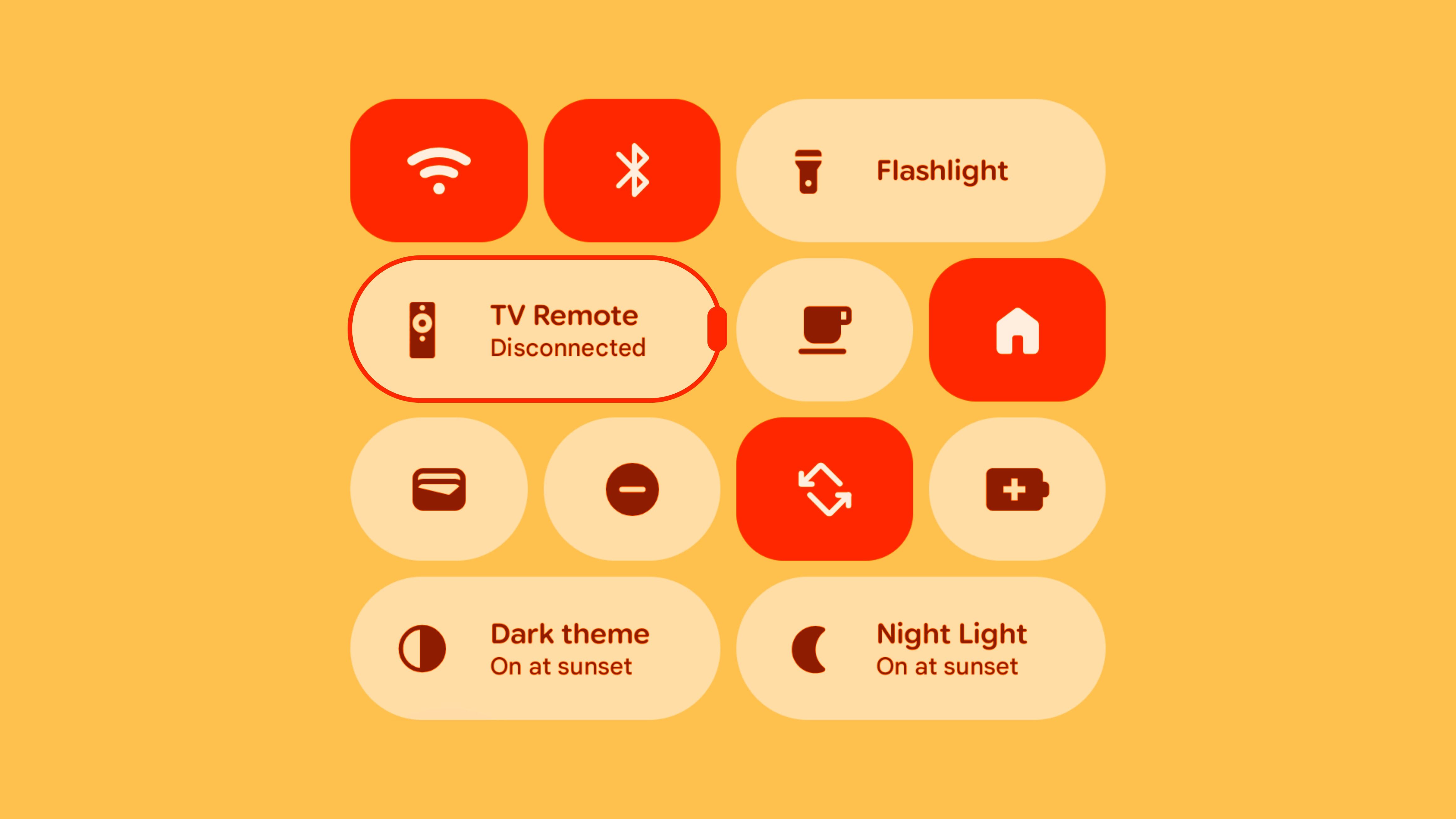
- Android 16 lets you resize Quick Settings tiles from small circles to double-wide pills.
- Make tiles small to show up to 8 toggles on first pull (vs 4 with wide pills).
- May stay Pixel-exclusive at first; hope it becomes a standard Android feature.
The Android Quick Settings panel is an often-overlooked yet very important place. It’s where you go to toggle Wi-Fi, Bluetooth, mobile data, and a bunch of other stuff. Android 16 is making these handy buttons much more customizable.
Android’s Quick Settings have gone through many design changes over the years. Some changes have been good, others not so much. One change that not everyone has loved was the Pixel’s big “pill” style that came with Material You and Android 12. Now, with Android 16, you can treat the Quick Settings toggles more like widgets and resize them.
A New Way to Toggle
Android 16 introduces the ability to change the size of the Quick Settings tiles for the first time. They can be a small circle or the double-wide pill shape you’re used to if you have a Pixel phone. This is a big deal because it means you can fit more toggles on the screen at once.
It’s especially helpful for those of us who have a lot of different things to toggle on and off. Maybe you have a smart home device you want to access quickly, or you need to switch between different Focus modes. Some things may only need a small icon for you to know what they are, while others might be better with some text.
The main appeal, however, is clearly the ability to fit more toggles on the screen. This is particularly important for Pixel owners. Pre-Android 16, you would only be able to see four wide pill-shaped Quick Settings toggles when you pull down the notification shade (a second pull reveals more). Now, you can literally see double that (8) on the first pull if you make all the toggles small.
Resizing the toggles works essentially the same way as widgets on your home screen. First, pull down the notification shade twice to see the pencil icon. Tap it to open up the Quick Settings editing menu. Press and hold any of the toggles to see a resizing handle. Slide the handle to adjust the size of the toggle. Of course, you can add, remove, and move the toggles as usual, too.
Will This Be Pixel Exclusive?
This is unquestionably a great evolution for the Quick Settings panel, but it’s hard to know if it will be for all Android devices or only Pixel phones. Right now, it’s mainly Pixel phones that have Android 16, and some of the features are exclusive to the Pixel UI.
Material 3 Expressive, for example, was originally billed as a big design change for Android. In reality, though, it’s not something that we’ll see on other Android devices. Samsung has One UI with its own design philosophies. Like Material You before it, we’ll see small things trickle to other devices, but the full experience is only available on Pixel phones.
So, will resizing Quick Settings toggles be one of those things that trickles to other Android devices? Or will it be something that you only get to use if you buy a Pixel phone? I hope that it’s the former, because this should be a standard Android feature.


