

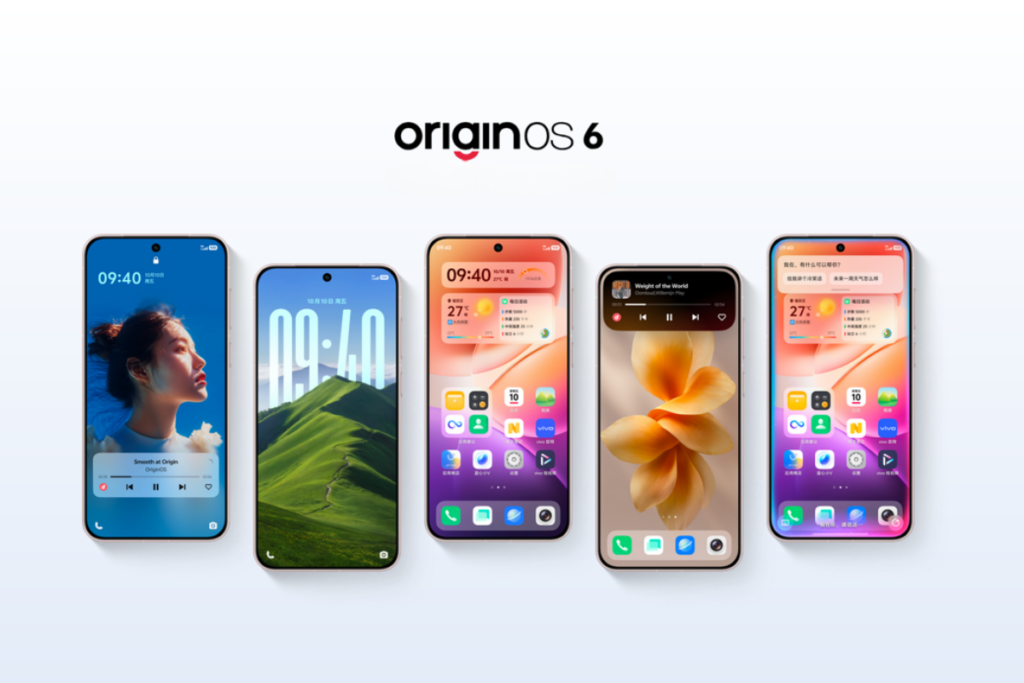
Vivo has launched OriginOS 6, based on Android 16, and it brings numerous exciting features and tons of upgrades, including a redesigned interface, cross-device integration, performance improvements, security enhancements, and new AI capabilities. Here are the top six features in OriginOS 6 that you shouldn’t miss.
1. Refreshed visuals with better user interaction
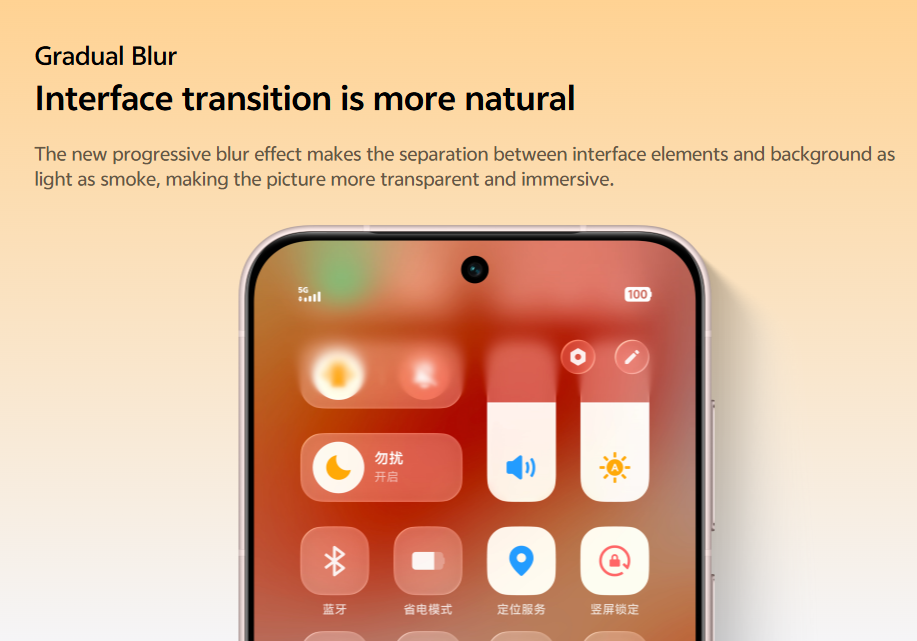
OriginOS 6 introduces “Light and Shadow Space,” a new design language that simulates natural lighting and depth that feels more intuitive to use. It uses translucent materials, realistic shadows, and subtle blur to make elements feel physically layered.
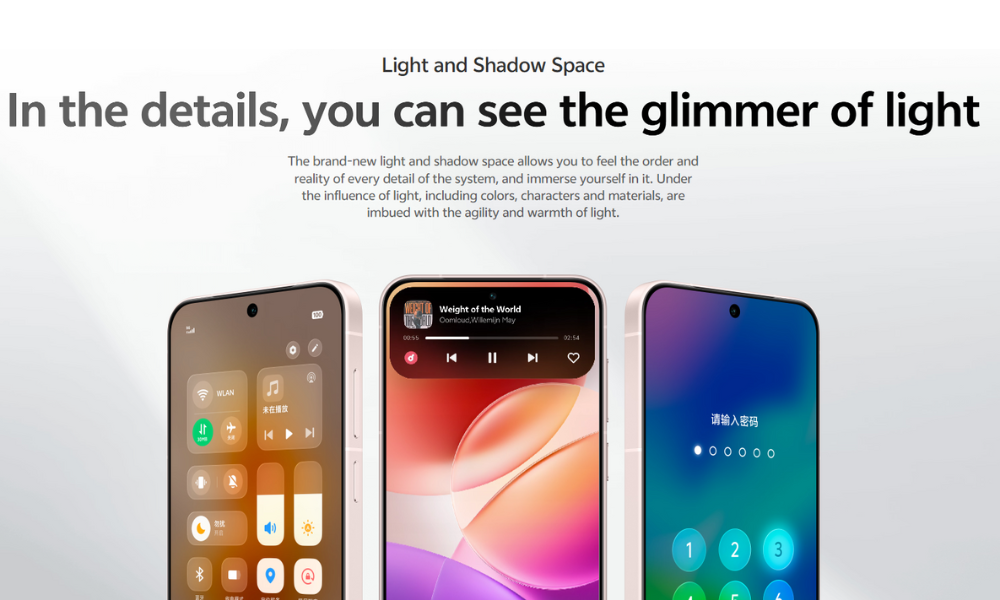
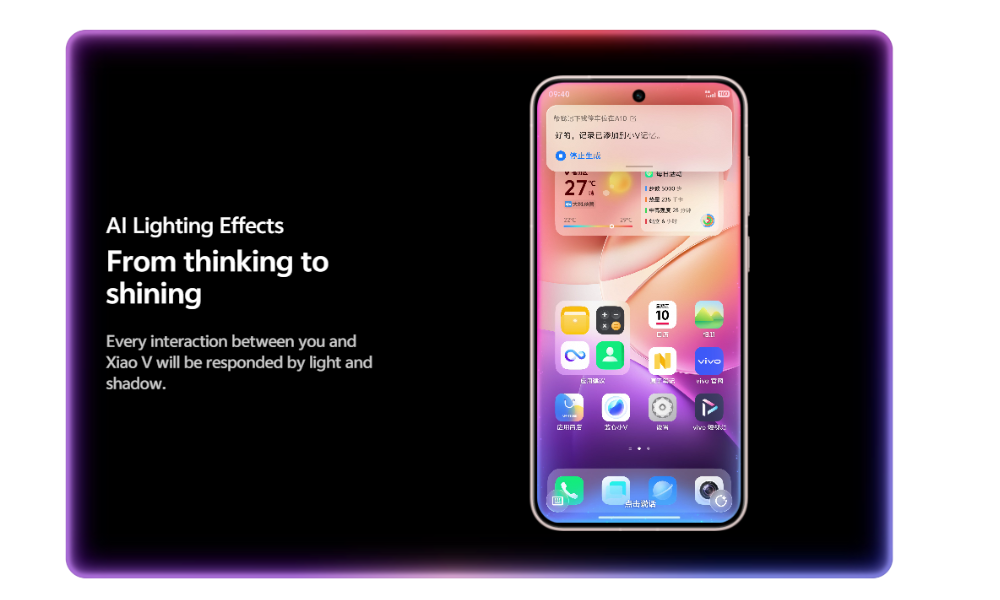
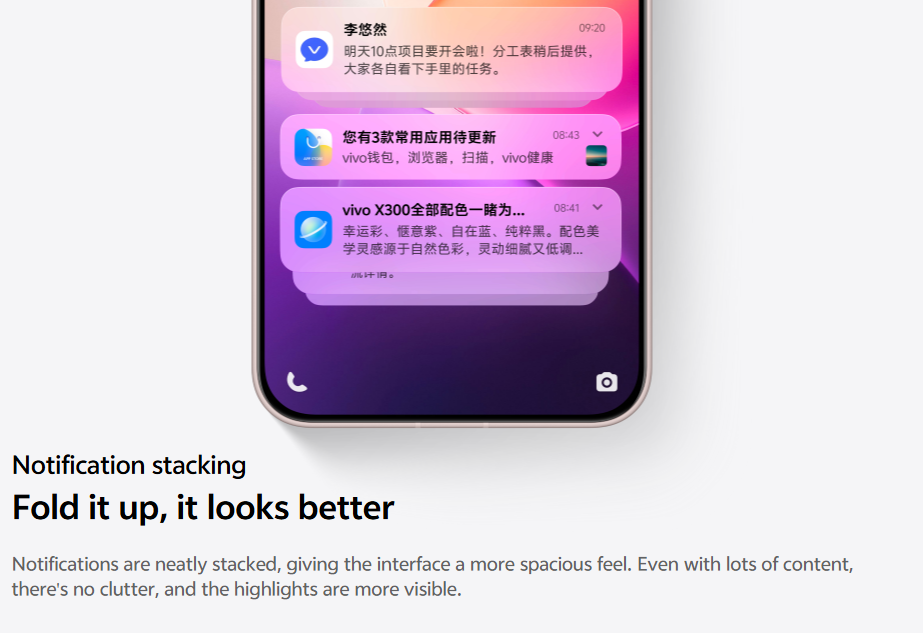
There are also Gradual Blur effects that separate elements from the background for smoother visuals. Vivo has also added AI Lighting Effects to Xiao V (Vivo’s AI assistant) interactions. The new Notification stacking feature groups notifications for easier finding and a less cluttered experience.
The interface switching is now more pleasing as the new screen gradually appears, and the blurred background makes the transition more comfortable and improves the focus. The Android 16-based update also includes numerous features like Elastic Motion and Frame Morphing to further improve animations and user interactions.
2. Lock screen is now more fun and customizable
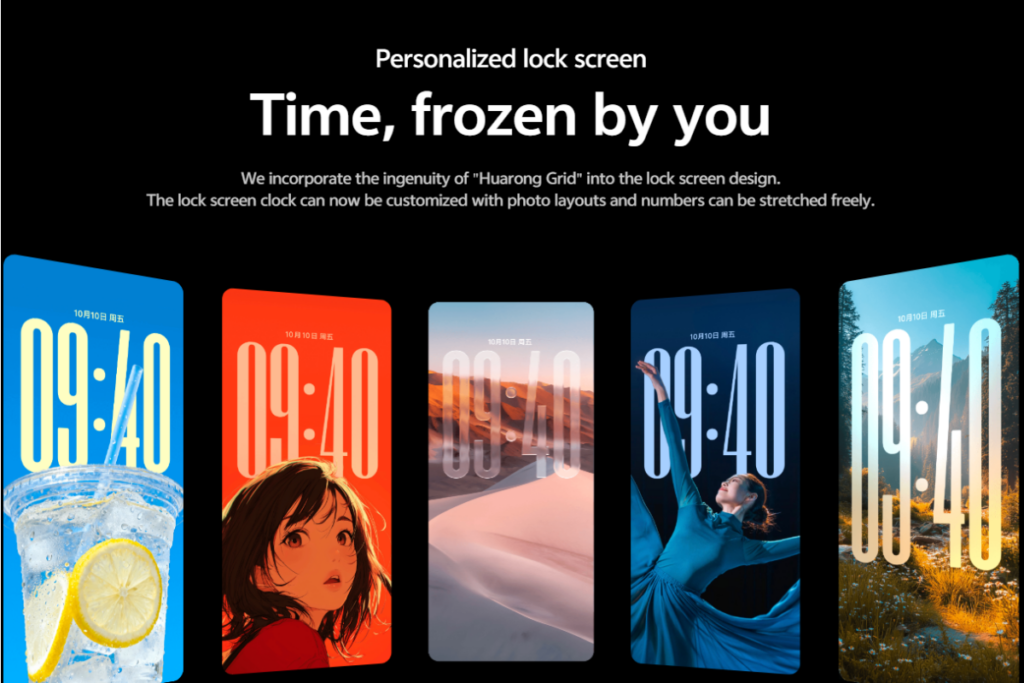
OriginOS 6 brings some nice and useful upgrades to the lock screen, making it super fun to play with. The Mirror Screen Effects provide dynamic changes from different viewing angles, aligning with the new Light and Shadow Space visual system that simulates natural lighting and depth. Combined with the updated blur and layering on the lock screen, the result is a lock screen that’s animated and “material,” rather than flat.
The clock can now be moved anywhere on the lock screen, and the photo modules can be aligned or rearranged for a more personalized experience. OriginOS 6 also adds new clock styles and layout presets.
Also read: Here’s When Your Vivo & iQOO Devices Get the Android 16 Update
3. Improved performance and power efficiency
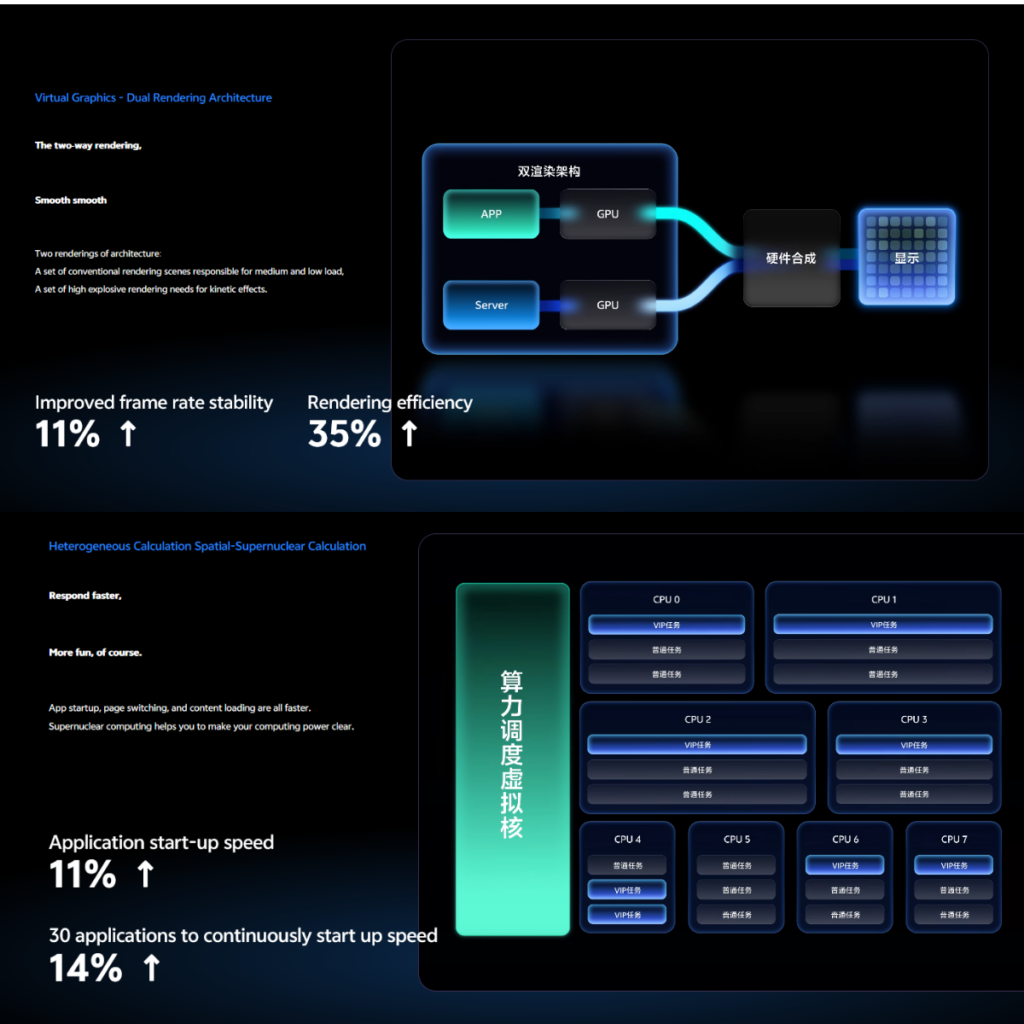
OriginOS 6 achieves 11% improved frame rate stability and 35% improved rendering efficiency by using a dual rendering architecture. One is designed for handling regular rendering scenes with medium to low loads, while the second is specifically tailored for high-load rendering tasks, such as motion effects.
Hypercore computing enables applications to launch 14% faster. It also improves page switching and content loading speed. The Photonic Storage architecture further contributes to improved performance by efficiently utilizing CPU cache, memory, and storage. It achieves a 230% improvement in scene data loading after reloading and a 15% boost in memory recycling speed.
Furthermore, Scenario Energy Efficiency 2.0 utilizes six energy efficiency algorithms to enhance performance and extend battery life. More specifically, this results in 7% improved battery efficiency during video calls, or 18% higher battery life with continuous short videos, or 14% more battery life when gaming. Gamers can now enable the Micro Power Wizard mode and plug in the power supply to instantly return to the previous task, without waiting.
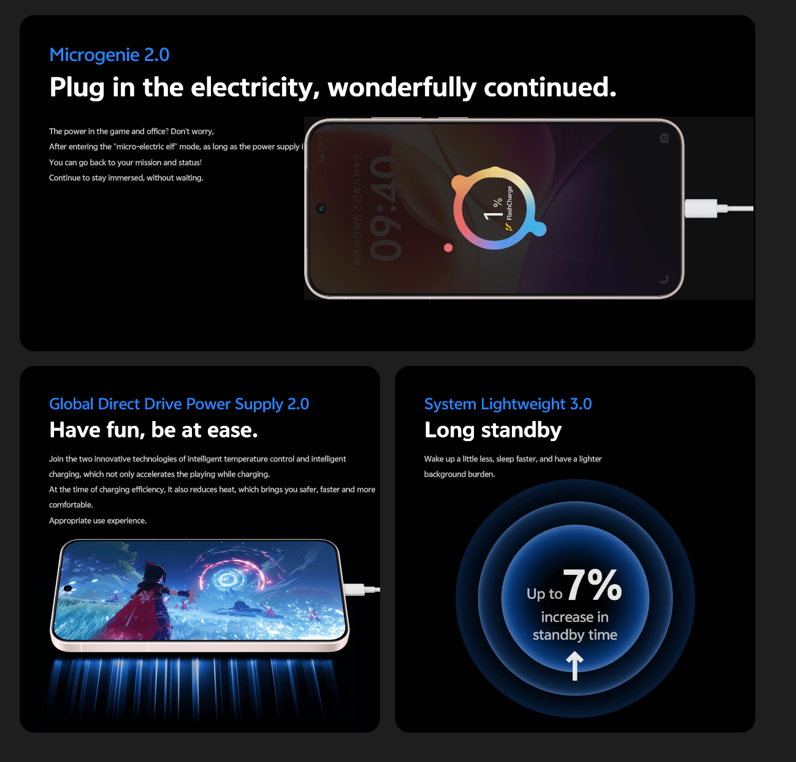
OriginOS 6 also includes Global Direct Drive Power Supply 2.0 for intelligent temperature controlling and smart charging, and System Lightweight 3.0 for up to 7% increase in standby time.
4. Shake to share in a group
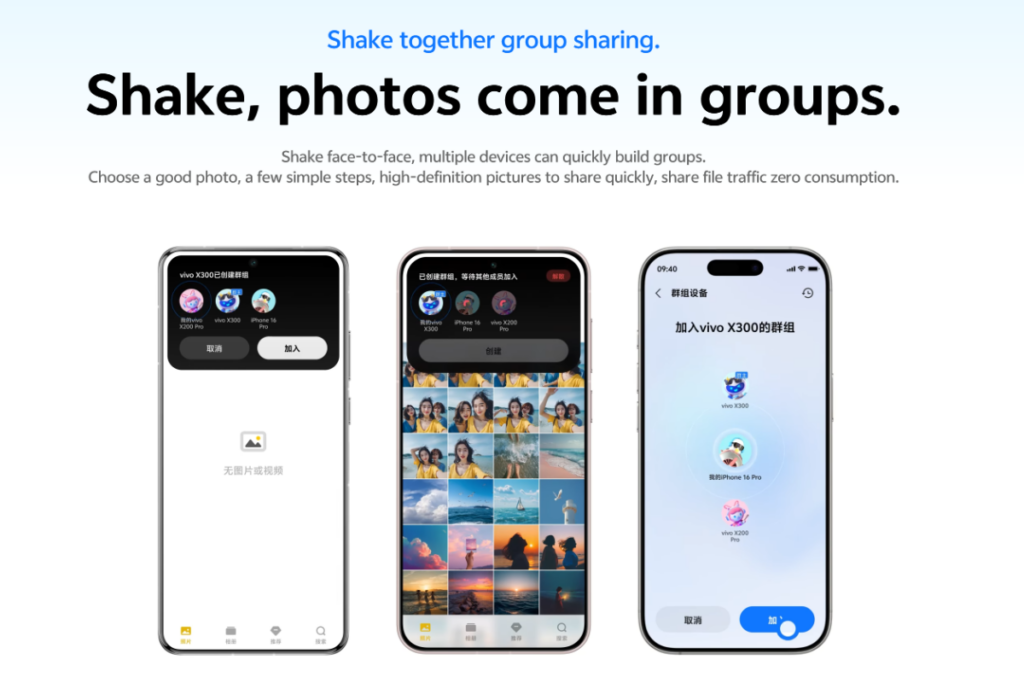
Sharing photos with multiple devices is now a lot easier. Using the Shake to share feature, users only need to shake their phones face-to-face, and it will quickly create a group to share photos without consuming any internet data.
5. AI gets smarter and more useful

OriginOS 6 users can instantly remove unwanted people or objects from live photos with the help of AI. The Xiao V circle search feature can intelligently identify links, products, and addresses on the screen. Vivo phones outside China already have a Circle to Search feature from Google. So, the Xiao V circle search feature may remain limited to China.
Users can long-press the screen to add information to Xiao V Memory, which intelligently categorizes information along with schedules and addresses. The synced details can be imported into Vivo input method’s common phrases to make the keyword personalized.
OriginOS 6 enables natural language search, so that you don’t have to remember the exact name. Simply describe what you’re looking for and let the AI do the job. It works with file management, email, Atomic Notes, and many other apps.
6. Improved cross-device integration
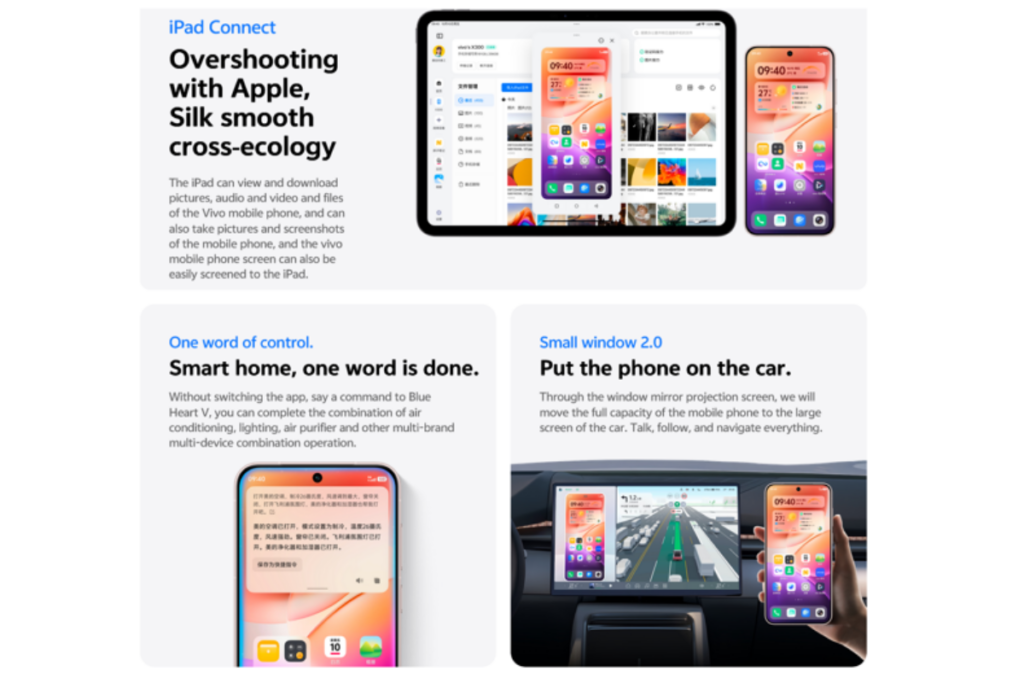
The new Vivo Office Suite enables faster file sharing across smartphones, PCs, and web platforms. Users can send any number of files in any format, or even an entire folder. Devices must be logged into the same account to use this feature. OriginOS 6 enables iPad users to view and download audio, videos, and files from Vivo phones. The Vivo phone can also be projected to the iPad.
Vivo also makes it easier to control other devices. With OriginOS 6, users can issue commands to Lanxin Xiao V to control multiple smart home devices, including air conditioners, air purifiers, and more. The Mirror Window 2.0 enables screen mirroring, while also offering full phone capabilities to the car’s screen, such as chatting, watching TV series, navigation, and more.
For Vivo and iQOO devices outside of China, the OriginOS 6 will be a much bigger upgrade, as those devices will switch from Funtouch OS. Users will get a completely redesigned Quick Settings panel, new icons, and a host of new features. The global launch is set for October 15, where the brand will reveal all the changes, alongside the eligible devices list and rollout schedule.
You can regularly visit our Android 16 section for the latest updates. Also, don’t forget to join our Telegram channel for instant updates about the latest happenings in tech.


