

Samsung is finally stepping up its customization game with a Glass UI effect, now available through its Theme Park app — and it looks like a direct response to Apple’s much-talked-about “Liquid Glass” design in iOS 26. While Samsung initially poked fun at Apple, it seems to be borrowing a page from its rival’s playbook — but with a more flexible approach.
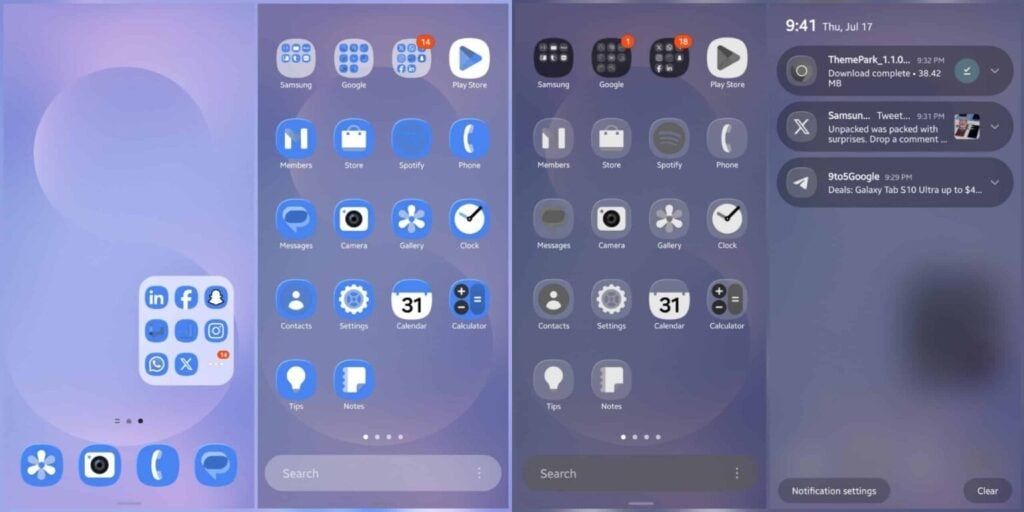
The latest Theme Park update (version 1.1.01.23) rolled out on July 18, adding five new icon effects: Basic, Film Grain, Duotone, Glass, and Gradient. Unlike Apple’s Liquid Glass, which is still fine-tuning how visible icons appear on different backgrounds, Samsung’s take lets users tweak nearly every aspect of the look — including icons for third-party apps.
With the new Glass effect, you can adjust icon transparency, glow, hue, saturation, and even match them perfectly with your wallpaper for a clean, futuristic feel. Even notifications get a translucent makeover. And the best part? You don’t need a system update — it works right within One UI 8 on devices like the Galaxy S25 series and Z Fold 7.
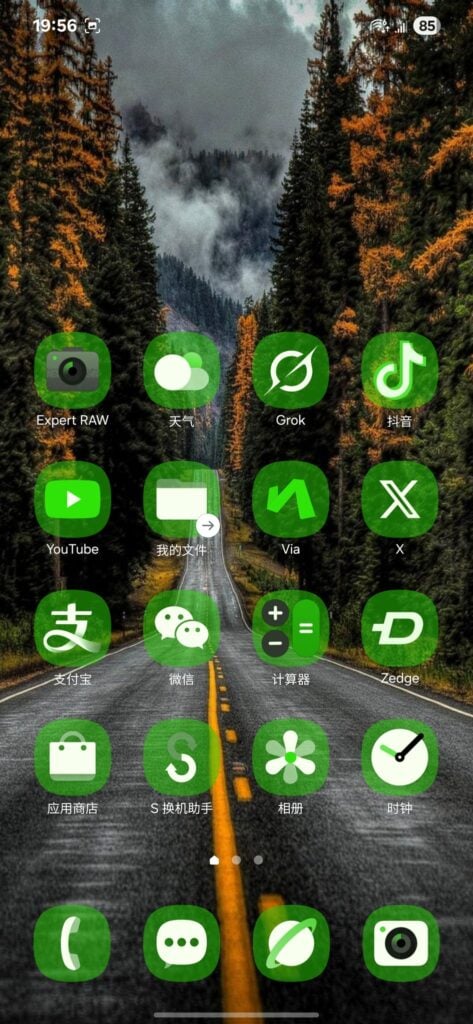
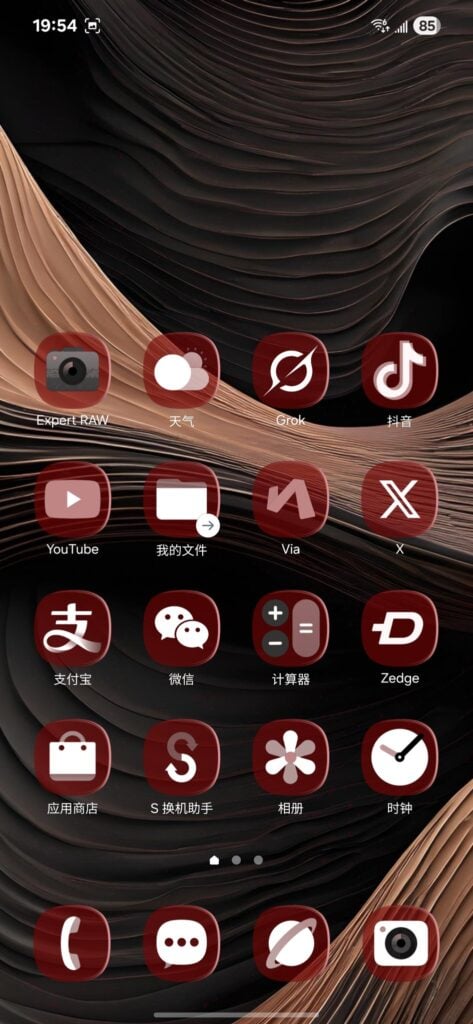
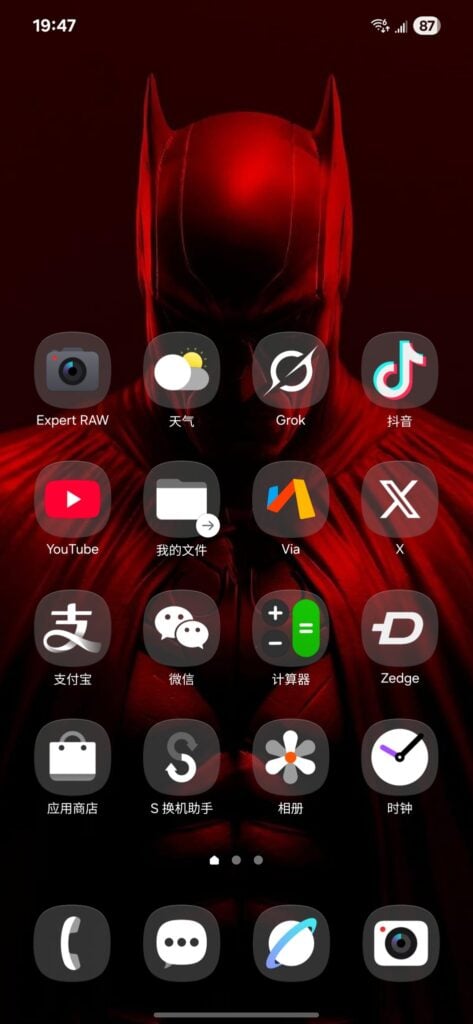
Here’s how to set it up:
Just open Theme Park, tap “Create Theme”, head to the “Icon” tab, and select “Glass” from the dropdown. You’ll get sliders to fine-tune the effect until your icons blend seamlessly with your background. It’s a simple tweak that can completely change the vibe of your home screen.
The Theme Park update, now live, brings a slick glass-like aesthetic to Galaxy devices without the hassle. You can grab it through Samsung’s Galaxy Store or sideload the APK if it’s not yet available in your region.
Don’t miss a thing! Join our Telegram community for instant updates and grab our free daily newsletter for the best tech stories!
For more daily updates, please visit our News Section.
(Source: 1, 2)
The post After mocking Apple, Samsung finally follows suit with Glass-like UI — and it’s easy to install appeared first on Gizmochina.

.jpg?ssl=1 "The Best Time to Drink Coffee for Productivity (and When Not To)")


.jpg?w=300&resize=300,300&ssl=1 "The Best Time to Drink Coffee for Productivity (and When Not To)")
