

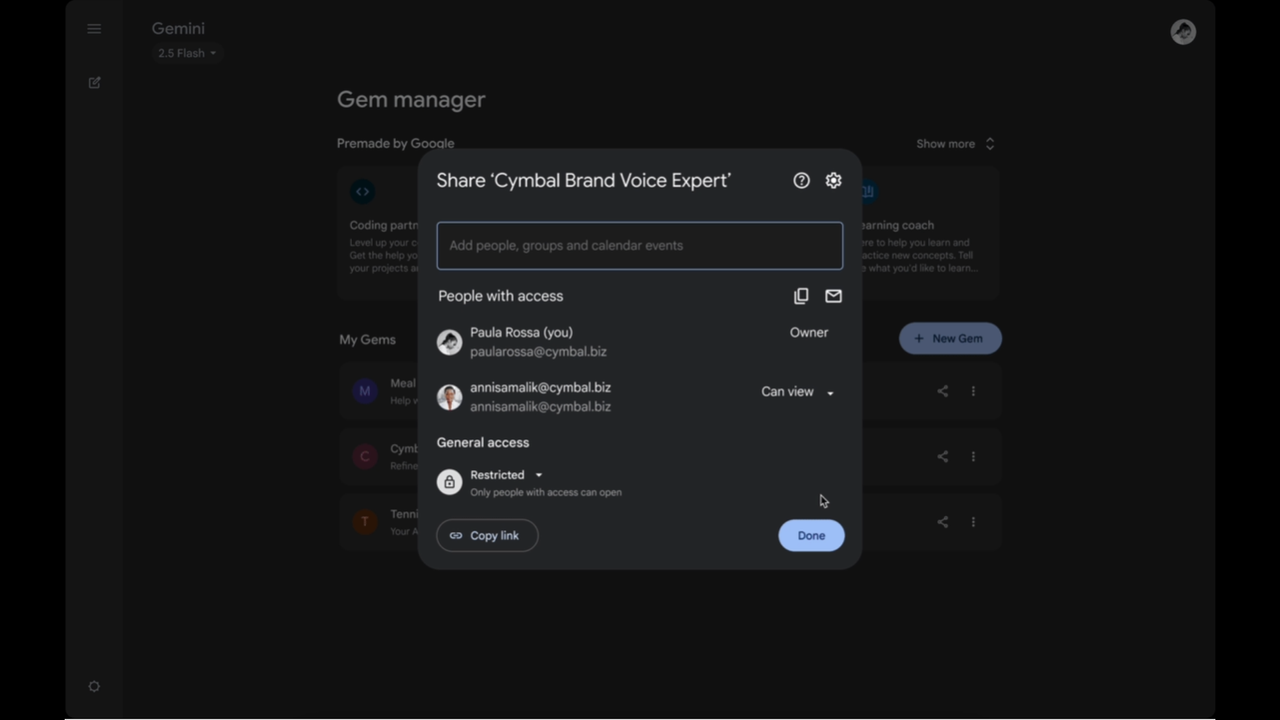
AI chatbots with a specific focus are a great way to skip having to explain what you want to do with an AI chatbot. Google created the Gemini Gems setup so that you’d be able to make and reuse those specialized chatbots whenever you want. Now, you can share your custom-made Gems with friends, family, or anyone else you share a link with.
All you have to do is hit the “Share” button on your custom Gem. That way, you can share, say, your toddler sleep schedule assistant or meal planner for someone in a rush, in the same way you’d share a Google Doc. They can view it, clone it, or even tweak it with your permission, as it’s basically Google Drive for AI assistants.
The Gems are otherwise the same, but they’re now portable. Consider how much of your digital life runs on shared docs, and then imagine if your AI helpers could do the same.
“This makes Gemini way more collaborative,” Google noted in its announcement, “turning your favorite Gems into a shared resource so you can prompt less and create more.” It’s a tagline with startup energy, but it’s not wrong.
And for organizations using Google Workspace, administrators can control how and where Gems can be shared, restricting sharing outside the domain if needed. The permissions map one-to-one with existing Drive policies, which means most people won’t have to learn anything new to use the feature.
Shared Gems
Functionally, this could reduce time spent retyping or re-explaining how to use AI to do a task. It might also surface use cases that people wouldn’t have built themselves.
If it sounds like a familiar idea, that’s because it’s not dissimilar to what ChatGPT offers with custom GPTs, except those get published to the whole world.
It’s more efficient than the manual approach, wherein people take long prompts from Gemini, ChatGPT, Claude, and Perplexity and share them on Reddit or other social media platforms. The difference is that Gems are persistent and can hold files, rules, and settings you’d typically have to reconfigure every session.
There are limits. Some Gems aren’t eligible for sharing, especially if they contain private uploads or link to sensitive data sources. And even when you do share a Gem, the recipient may need access to the files inside, like if it uses a personal Google Doc. The system mostly warns you when this might be a problem, but not always with excellent specificity.
And while sharing Custom GPTs has been an option for a while, sharing Gems is less tied to one platform and offers Drive-style collaboration settings. Gemini’s ability to piggyback on the infrastructure millions already use could give it an edge in that regard.
Mostly, though, it means those who enjoy making Gemini Gems can share them with whoever they wish, and those who like using them but don’t want to make them might find some new favorites without having to ask what people wrote to get Gemini to perform.


