

Working from home, I’ve found myself taking a lot of video calls. One of my biggest personal pet peeves is seeing the reflection of my screens in my glasses, and I don’t think that I’m the only person who feels this way. Most people don’t even fret about it, but if you’re like me? You get it, you understand the struggle, and want to find a way to at least make it slightly better.
After doing a bit of digging, someone mentioned something slightly unconventional, but it seems to work fairly well — polarizing film. It’s cheap, easy to install, and with a little bit of tweaking, can reduce the glare in your glasses by a pretty substantial amount. Rather than buying a whole new webcam, give this a try and see if it works for you.
Glasses glare is distracting, at least for me
Most people probably don’t care, but I do

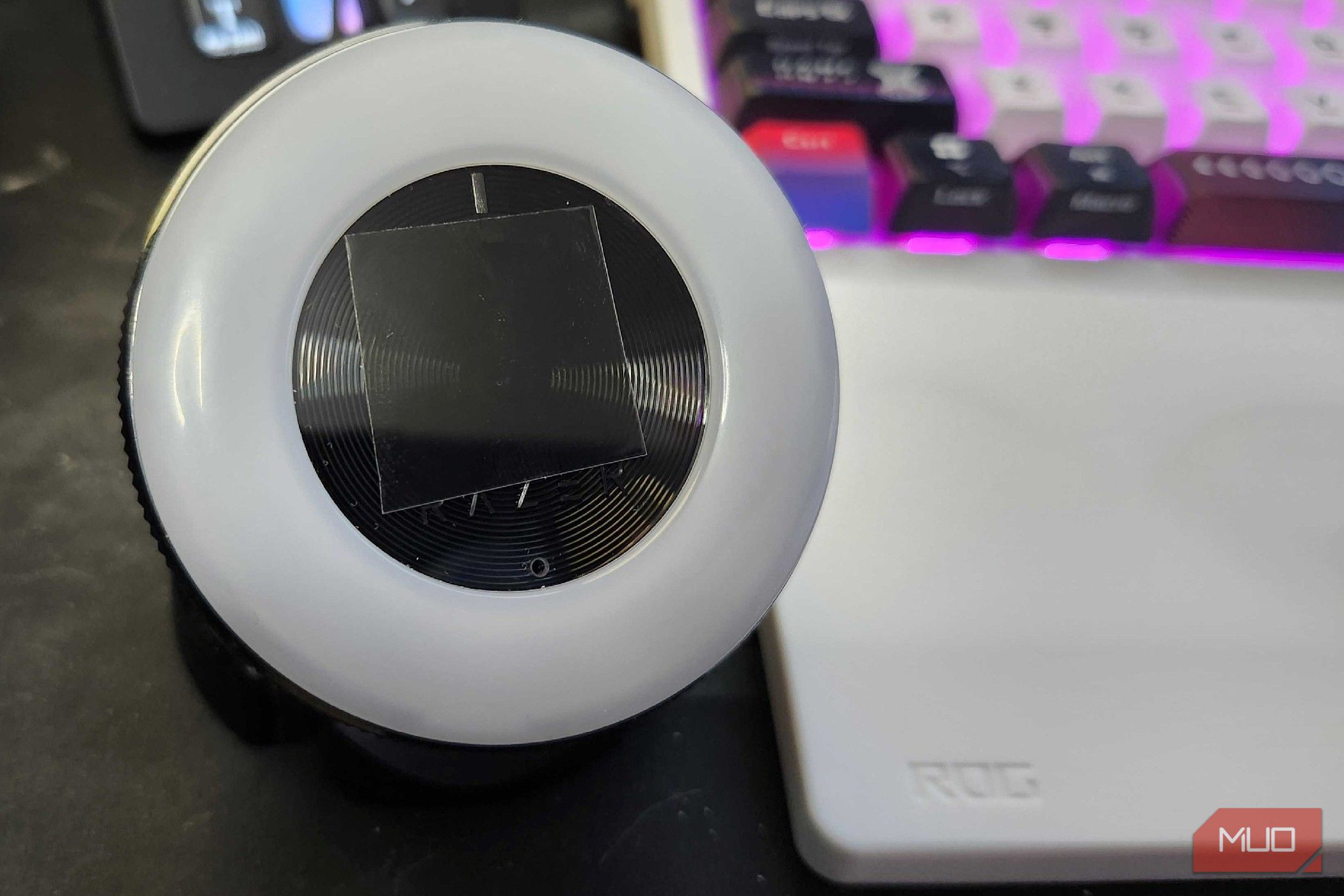
I’ve been using a Razer Kiyo webcam for quite some time now, as it has a generally decent 1080p resolution, autofocus, and an adjustable light ring to make even the darkest room shine brighter. While most would have upgraded their cameras by this point in time, it’s done the job for this long and should continue to do so for the foreseeable future. Plus, there is plenty of surface area to work with for this little experiment, so I have a bit of room for trial and error.
After stumbling across a Reddit thread of a user looking for a solution to the same issue, a polarizing filter was something that didn’t even cross my mind. As mentioned in the thread, it won’t be the solve-all, cure-all solution to my issue, but it should at least help, and that’s worth $6 in my eyes. Or, rather, for my eyes. When I had my frames made, I didn’t spend the extra money for anti-reflective coating, and at this point? I’m glad that I saved the money when I got my lenses cut, because this works well enough for me.

- Dimensions
-
5.4″ x 6.3″
- Brand
-
Venivhore
Cut, trim, and apply — it’s incredibly simple to do
There’s plenty left over if you make a mistake

I opted for polarizing film rather than a polarizing filter for one particular reason — cost. There are plenty of polarizing filters available on sites like Amazon, but since I wasn’t sure how well this would work, the less money I spent, the better. Overall, I was actually quite pleased with the result, even if it wasn’t exactly perfect. Unfortunately, unless there was an anti-reflective coating applied at the factory, there are only so many things you can do to reduce that glare.
The package I got came with two sheets of polarizing film, finger protectors, and a cleaning kit to prepare for installation. After wiping down the lens with an alcohol pad and a dry sheet, I trimmed a piece of the film, peeled off the backing, and stuck it right on. Incredibly simple installation, and extremely straightforward.
A before-and-after visualization of polarizing film
It could be better, but it could be much, much worse
In the pictures above, I kept the camera as close to the same spot as possible and took pictures before and after. The first and third photos are without the polarizing film, whereas the second and fourth are with the polarizing film. As I mentioned, it definitely helps reduce the glare overall and also helps darken an otherwise very bright shot.
I’m using a 27-inch OLED display horizontally and a 25-inch LCD screen vertically at my desk, and during a video call, both of these were quite visible in the reflection of my glasses. After trying this out with the polarizing film attached to the camera, the glare was visibly reduced.

This $10 Screen Upgrade I Swear By for Every Device Also Protects My Privacy
Goodbye glare, goodbye smudges, goodbye curious creepers—hello privacy.
It’s either this or take off my glasses during calls
I’m blind as a bat if I do take them off, though, so I’ll keep it this way
While I made it to my 30’s without needing glasses, I slowly began to realize that the finer details of the world were starting to become much more blurry. After getting fitted for my first pair of glasses, I realized just how much I depend on them daily. I’m not saying my parents were right by telling me that I was sitting too close to the TV when I was playing games on a CRT when I was younger, but maybe they were onto something.
The easiest way to avoid glare in my glasses during a video call would be to just remove them or get contacts. Unfortunately for me, I can’t deal with putting things in my eyes, so contacts are out of the question on that half. Plus, when I’m on video calls, I’m typically doing research or working on other projects, so compromising my vision isn’t the best way to do it, either.
Maybe I’ll spring for Anti-Reflective lenses next
But for now, polarizing film makes enough of a difference for me
If you’ve spent too much money on your glasses and are now getting bothered by reflections, you’re not alone. Consider trying polarizing film or a polarizing filter on your camera, and see if it makes a difference for you, too. To be fair, if I had gotten a circular film or filter, rather than a linear filter, it may have improved it more. But at least I know that it works, and I can tweak it from there. Maybe a pair of smart glasses with anti-reflective lenses could be in my future, too.
But for now? My picture quality is slightly less bright, my glasses have a bit less glare, and I’m a happy camper about it. Is it perfect? Absolutely not, but it made a decent amount of difference, and I’m happy with that. Sometimes, it’s the little things in life that make your day a little bit brighter, even if the polarizing filter has the exact opposite effect.


